
Coin collection app: scan it, value it, keep it
Buck keeps every coin and banknote you scan in one collection with a running total and an estimated value on each. Free to download; scanning needs Buck Pro.
Buck is a coin collection app for iPhone (iOS 17 or later) and Android (8.0 or later) built around the camera. You photograph a coin or a banknote, front then back; Buck names it, shows an estimated value, and puts it in your collection with a running total. There is no typing of dates and mint marks into an inventory: the photo is the entry.
Downloading it costs nothing, and so do the catalog and the collection itself. What needs Buck Pro is the scan that puts a coin in: $39.99 a year, or $5.99 a week (US stores, checked 3 November 2026). No free trial.
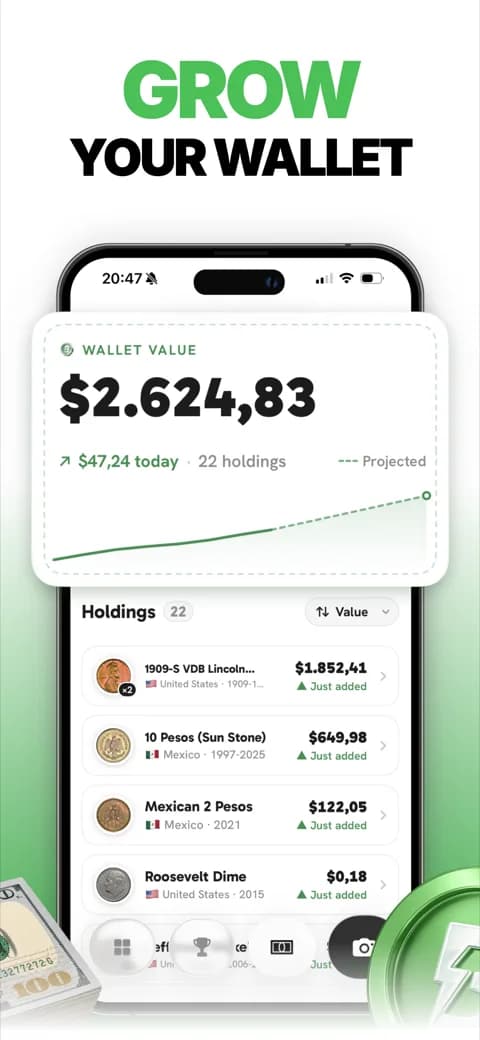
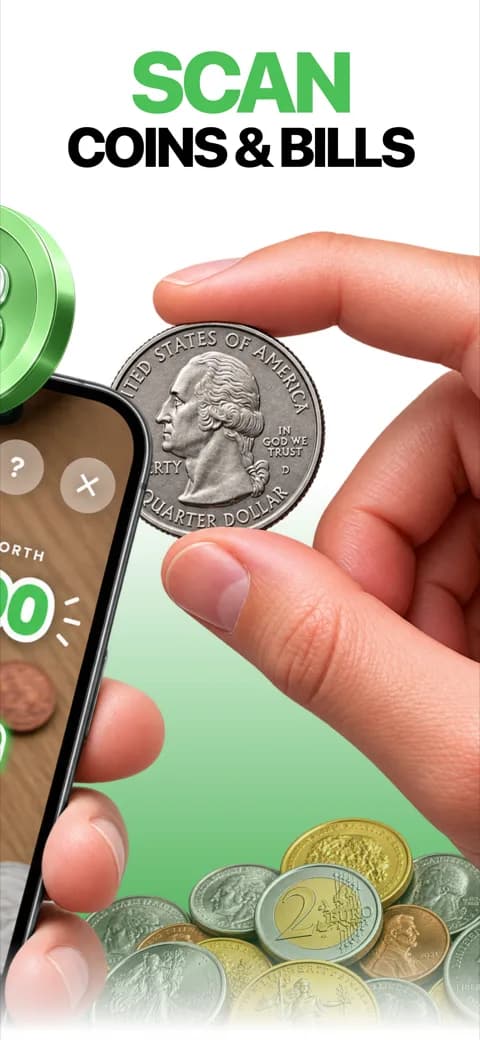
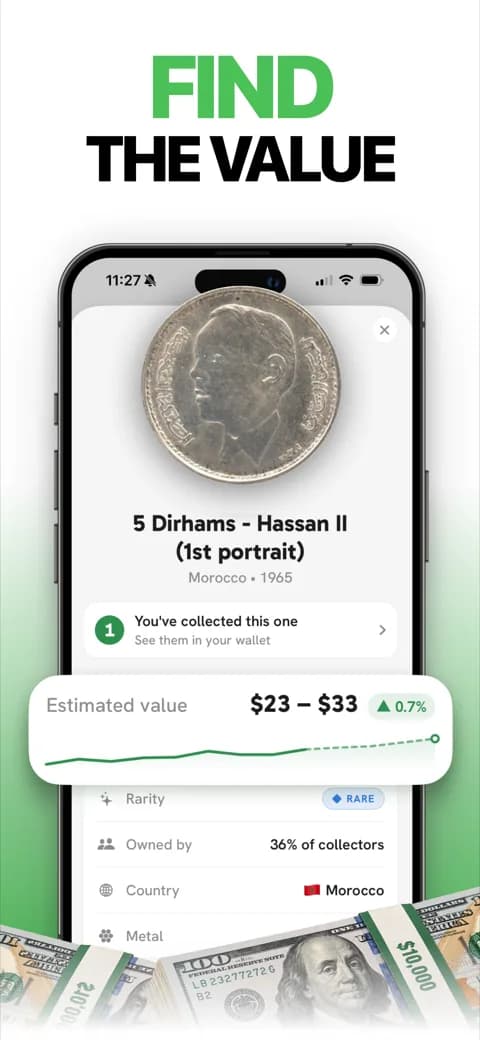
What the collection holds
- Every coin and banknote you scanned, with its country, denomination, year or period and series.
- A running total, in your currency, that moves when the price guide moves.
- An estimated value on each piece: a range on current euro and sterling cash, a range or a single figure elsewhere, and no figure at all on about one type in five.
- A rarity rung on the coins that have one, so the rare find stands out from the pocket change.
- The story of each coin: two sentences on what it shows and why it was made.
- Where to sell it, from the coin's own page: the marketplace that suits it in your country.
- Badges for the milestones, and a catalog you can browse by country before you scan anything.
How a coin gets into the collection
Front, then back, one piece at a time. A session keeps adding shots and a running total until you tap once and the whole batch lands in the collection. Two coins in one frame get the answer "One coin at a time" rather than a guess.
The back is not optional: many coins share one face with a dozen relatives and differ only on the other. Daylight, a plain table and a coin that fills the frame do more for the read than any filter. Leave the dirt on: cleaning a coin takes value off it, and the camera reads through it anyway.
What a coin collection app can and cannot tell you
Naming is the strong half. We checked Buck on 288 random scans from real use (front and back, one per device, 7 to 15 September 2026, 82% from Italy, two thirds euro coins, 9 banknotes): country and denomination matched the label on 263 (91.3%), and the exact catalogue type on 219 of 281 (77.9%). The labels were read by two independent AI readers, with a third settling disagreements. That is our own check of our own app, not an outside test, and the coin identifier page sets it beside the outside tests of a rival.
The value on each piece is an estimate for a coin in ordinary condition, never an offer to buy. A photo cannot settle the grade, the scale from worn to as-struck that moves most prices, and it cannot tell a cleaned or a counterfeit coin from a genuine one. CoinWeek puts the rule for clad quarters flatly: worn ones "carry no numismatic premium". Most of what a collection app holds is worth face value; the point of the total is to see the handful of pieces that are not.
An unsure read, or a coin described as gold against a base-metal record, gets no match at all. A blank answer means take another shot, not worthless.
Who this collection app is for
The person with a jar, a drawer or the change from a trip, who wants to know what is in it without learning the catalog numbers first. A collector who already works from PCGS or NGC price guides by date and grade will find Buck's catalog is organized by type, not by year and mint: a mintage is the total across every year that struck the type, and the app keeps no per-year figure. For a US key date, the coin identifier page explains what a photo can and cannot settle, and the guides go year by year.
Frequently asked questions
What is the best coin collecting app?
It depends on what you collect. For US coins by date and grade, PCGS CoinFacts is the reference. For a collection built from coins you photograph, Buck names each coin or banknote, shows an estimated value and keeps the total; it is built around the phone camera rather than a typed inventory.
Is there a free coin collection app?
The download, the catalog and the collection cost nothing. Scanning needs Buck Pro: $5.99 a week or $39.99 a year in US stores, and there is no free trial.
How can I check the value of my coins for free?
Buck shows every type's estimated range in its catalog without a scan. A worn coin from change is usually worth face value; the money sits with coins out of circulation, struck in small numbers, or unworn, and a grading service or a dealer settles those.
Does a coin collection app track banknotes too?
Buck does. Banknotes are photographed the same way, front then back, and sit in the same collection as the coins, with their own estimated value.
Can I use it to sell my coins?
Buck does not buy or sell coins. Each coin's page tells you which marketplace suits it in your country, and the rest happens there or across a dealer's counter.
What this page is based on: our own check of 288 scans from 7 to 15 September 2026, and CoinWeek's history of the clad Washington quarter. Prices are US store prices, checked 3 November 2026.
Sources
- CoinWeek, Washington Quarter, Clad (1965-1998), accessed September 21, 2026


